

Table of contents
Table of contents
I2C, SPI and UART are the three ways almost every sensor, display and module talks to a microcontroller. None of them is the best. Each one solves a different problem, and picking the right one comes down to how many devices you have, how fast the data moves and how far it has to go.
The short version: use I2C to connect several sensors with two wires, SPI when a display or memory card needs speed, and UART for simple serial communication between two devices.
What are communication protocols in electronics?
A microcontroller needs a way to exchange data with the parts around it: read a sensor, draw on a display, save to a memory card. A protocol is the set of rules for that exchange. It decides which wire carries what, who talks when, and how a byte is sent bit by bit.
I2C, SPI and UART are the three you will meet first. Every Arduino-compatible board, ESP32 and Raspberry Pi supports all three, and nearly every breakout board uses one of them. NULA Mini ESP32-C6 is a good board to learn them on: it has a Qwiic connector for I2C and free pins for SPI and UART. The Zero to Hero kit walks through I2C sensors and displays step by step.
I2C vs SPI vs UART at a glance
| Protocol | Main wires | Best for | Strength | Limitation |
|---|---|---|---|---|
| I2C | 2 signal wires: SDA, SCL | Sensors, RTC modules, small displays, IO expanders | Many devices on one bus | Slower than SPI, short distances |
| SPI | 4 or more: MOSI, MISO, SCLK, CS | Fast displays, SD cards, memory, fast sensors | Fast | Uses more pins |
| UART | 2 signal wires: TX, RX | Debugging, GPS, two boards talking | Simple, supported everywhere | Usually only two devices |
All three also need a shared ground between the devices.
What is I2C?
I2C (Inter-Integrated Circuit) uses two signal lines. SDA carries the data and SCL carries the clock. Every device on the bus connects to the same two lines, and each one has its own address, so the controller can talk to one at a time.
- Few wires. Ten sensors still need only SDA, SCL, power and ground.
-
Addresses. Each device has a 7-bit address, such as
0x3Cfor a small OLED. Two devices with the same address cannot share a bus without changing one of them. - Speed. Usually 100 kHz or 400 kHz. Plenty for sensors, too slow for large graphics.
- Distance. Made for connections inside one device, not long cables.
I2C is the usual protocol for sensors, real-time clocks, character LCDs, IO expanders and small displays. Qwiic connectors carry I2C on one plug-in cable, so there is nothing to wire. The PCF85063A real-time clock and the 16x2 I2C LCD both connect that way.
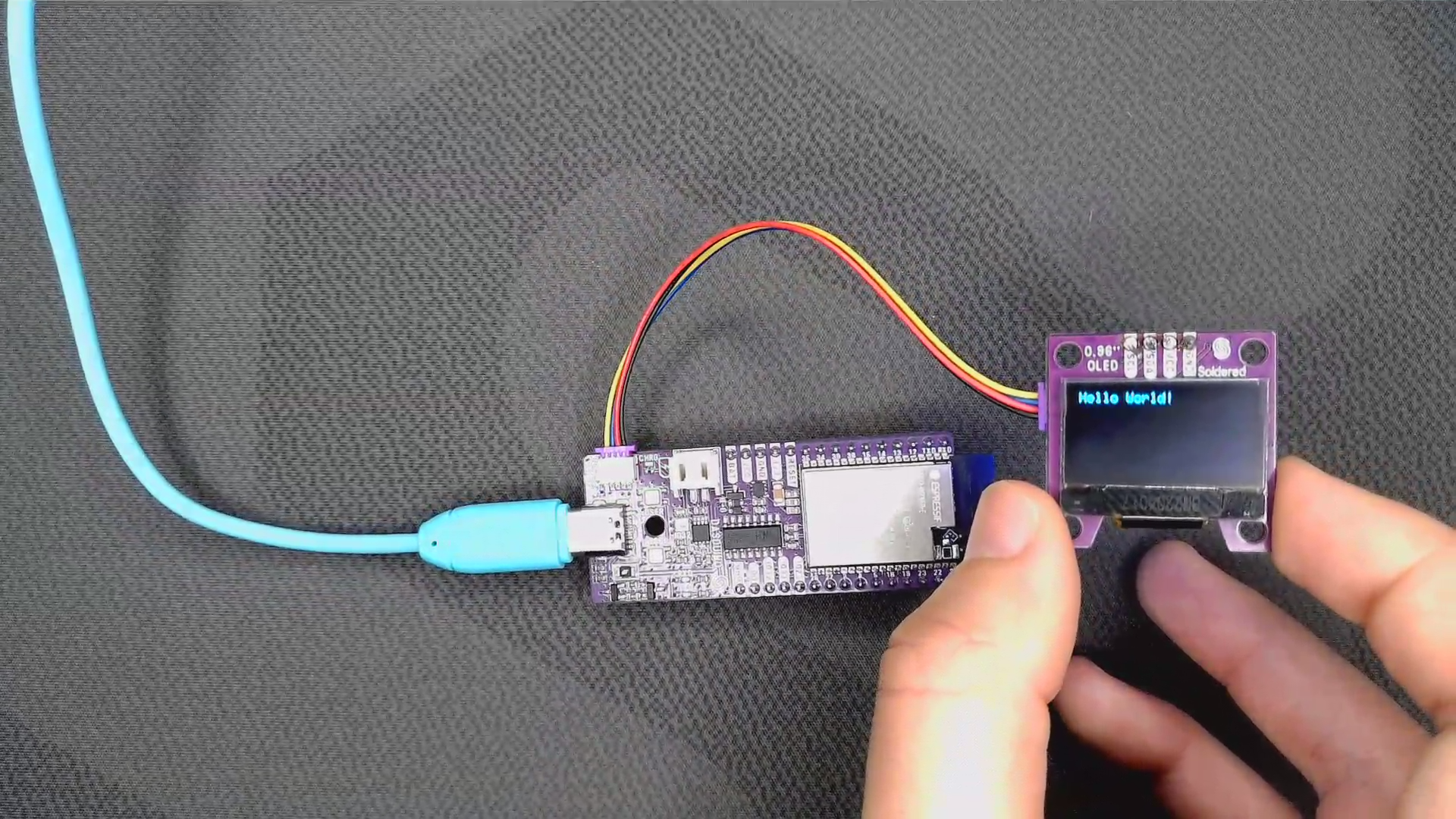
Our I2C protocol guide covers addressing and pull-up resistors in detail.
What is SPI?
SPI (Serial Peripheral Interface) is the fast one. It uses separate lines for each direction plus a clock, so data flows both ways at once:
- MOSI carries data from the controller to the device.
- MISO carries data from the device back to the controller.
- SCLK is the clock the controller drives.
- CS (chip select) picks which device is listening.
SPI often runs at tens of MHz, many times faster than I2C. That is why it drives graphic displays, SD cards, flash memory and fast sensors. The cost is pins: devices share MOSI, MISO and SCLK, but each one needs its own CS line.
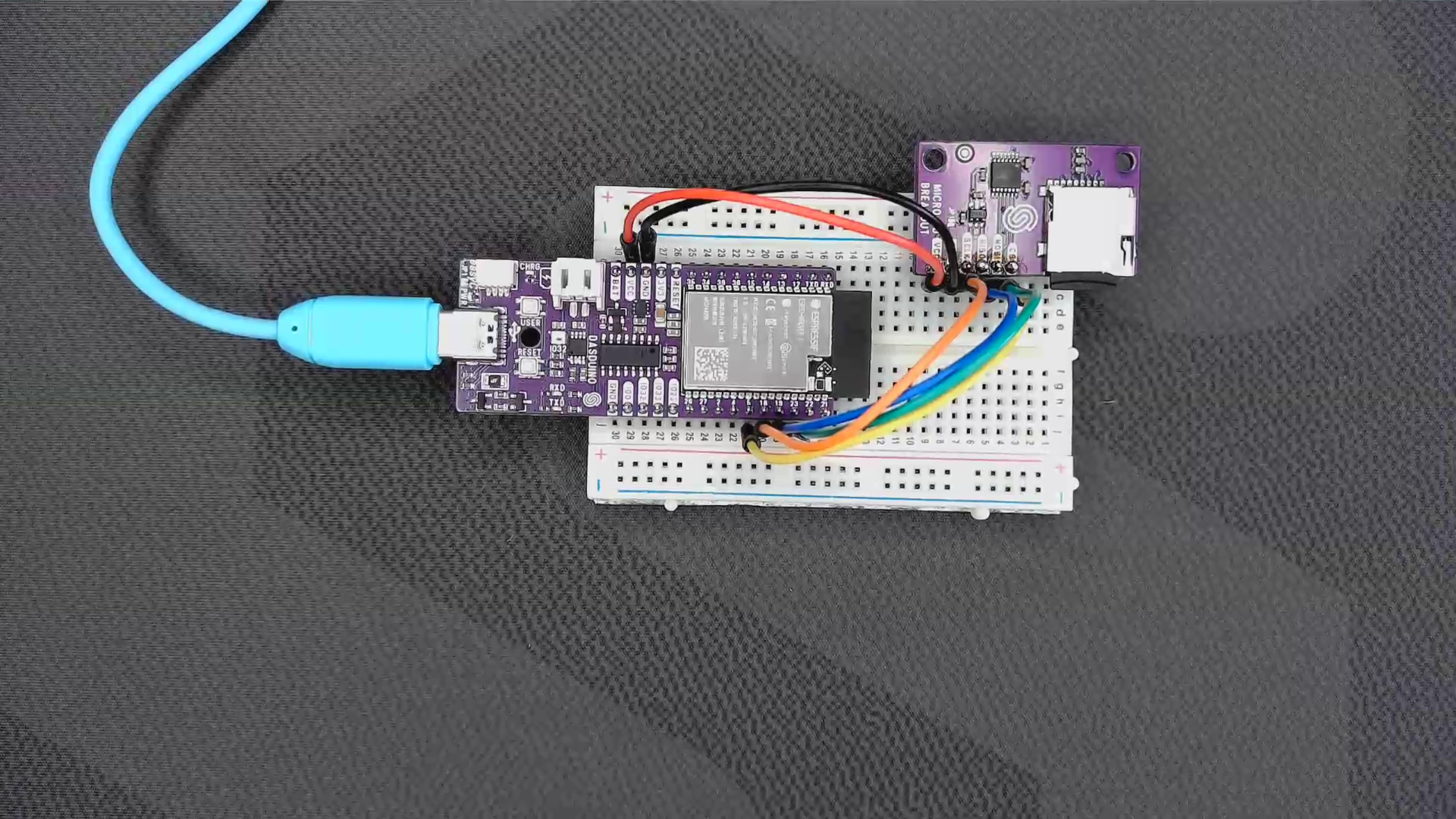
Soldered's microSD breakout is a good first SPI device: the Arduino SD library handles the protocol, and you get file storage for data logging.
What is UART?
UART (Universal Asynchronous Receiver-Transmitter) is the simplest of the three. One wire sends (TX), one receives (RX), and there is no clock line. Instead, both devices agree on a speed in advance, called the baud rate, such as 9600 or 115200.
- Point to point. UART usually connects exactly two devices.
- Crossed wires. One device's TX goes to the other's RX, and the other way round.
- Everywhere. The Serial Monitor, GPS modules, Bluetooth modules, USB-to-serial adapters and board-to-board links all use it.
The Arduino Serial Monitor is UART: your board talks to the computer through a USB-to-serial chip. For a board without one, a USB-UART CH340 converter does the same job. For devices whose UART is hidden inside a USB-C port, USB-Cereal reads the serial output without opening the case.
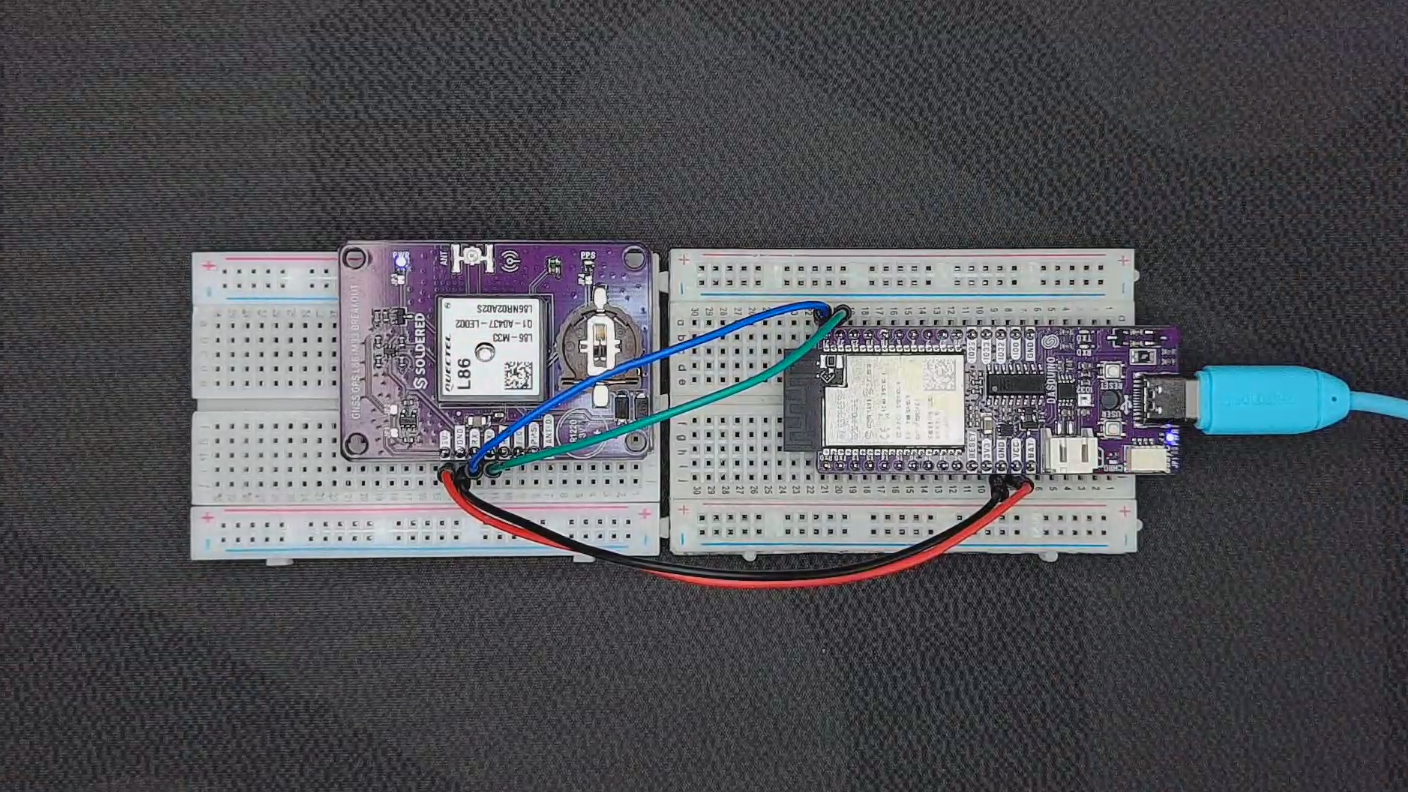
GPS modules are the classic UART device. The L86-M33 GNSS breakout sends its position as lines of text called NMEA sentences, and your code reads them like any other serial input. For longer cables, RS485 carries the same UART data over hundreds of metres through a transceiver. Our RS485 guide covers how.
I2C vs SPI: What is the difference?
| Feature | I2C | SPI |
|---|---|---|
| Wires | 2 signal wires | 4 or more signal wires |
| Speed | Usually 100 to 400 kHz | Often tens of MHz |
| Multiple devices | By address, on the same two wires | By chip select, one CS line each |
| Data direction | One way at a time | Both ways at once |
| Best for | Sensors, RTC, IO expanders, small displays | Displays, SD cards, memory |
| Beginner friendliness | Easier wiring | More wiring, but faster |
If you are connecting sensors, start with I2C. If a device moves a lot of data, like a colour display or an SD card, it will usually be SPI.
UART vs I2C and SPI
UART works differently from the other two. I2C and SPI have a clock line and one controller in charge, and they usually connect parts inside one device. UART has no clock: both sides send whenever they like, at an agreed baud rate. It usually connects one device to another.
- a GPS module sending its location
- a board printing debug messages to the Serial Monitor
- two boards exchanging messages
- an RS485 transceiver carrying serial data over a long cable
Which protocol should you use for sensors?
- I2C for most beginner sensor projects. Temperature, humidity, light, distance and pressure sensors almost all speak it.
- SPI when the sensor produces data quickly, like some IMUs and high-speed ADCs.
- UART when the sensor streams serial data, like GPS modules.
- RS485 when the sensor is tens or hundreds of metres away.
Some sensors use none of these. The waterproof DS18B20 uses 1-Wire, which needs only one data line and lets several sensors share it.
Which protocol should you use for displays?
- I2C for simple text: a 16x2 character LCD or a small monochrome OLED.
- SPI for faster graphic and colour displays, where a full screen of pixels has to move quickly.
- An Inkplate when the project needs an always-visible, low-power dashboard. The ESP32 inside drives the e-paper panel for you, and its Qwiic port takes I2C sensors.
Pick the display for the job first, then the protocol follows. A 16x2 LCD shows live values. An Inkplate 10 or Inkplate 6FLICK shows a weather dashboard, a calendar or a room sign all day. Our LCD display guide compares the options.
I2C, SPI and UART with Arduino
Arduino-compatible boards support all three, each with a built-in library:
| Protocol | Arduino library | Typical use |
|---|---|---|
| I2C | Wire |
Sensors, LCDs, RTC modules |
| SPI | SPI |
SD cards, displays |
| UART | Serial |
Serial Monitor, GPS, other boards |
Most sensor and display libraries call these for you, so you rarely touch the protocol directly. The Make your own NULA kit has you solder an Arduino-compatible board and then use all three.
I2C, SPI and UART with ESP32
ESP32 boards support all three, and most of the pins can be assigned in code, so wiring is flexible. The difference from Arduino is Wi-Fi: an ESP32 reads an I2C sensor, logs to an SPI card and sends the reading to MQTT or Home Assistant in the same sketch.
NULA Mini ESP32-C6 works well as the connected controller for sensor and display projects. For battery projects, NULA DeepSleep ESP32-S3 sleeps at about 16 µA between readings. Our ESP32 projects for beginners have builds that use all three protocols.
I2C, SPI and UART with Raspberry Pi
A Raspberry Pi has all three on its GPIO header. Switch each one on in raspi-config under Interface Options, then use them from Python or any other language.
A Pi is the better choice when the project needs Linux, a database, a dashboard or more processing power: a data logger reading I2C sensors, a GPS tracker on UART, or a display on SPI. The 8 GB model leaves room for heavier services. Our Raspberry Pi project ideas have more builds.
Common mistakes when choosing I2C, SPI or UART
- SPI where I2C would do. Four extra wires for a temperature sensor that updates once a second.
- I2C on long cables. It is made for short distances; use RS485 for long runs.
- Not knowing the I2C address. Run an I2C scanner sketch to see what is on the bus.
- SDA and SCL swapped. Nothing responds, and nothing reports an error.
- TX to TX. UART lines cross: TX to RX, RX to TX.
- Mismatched baud rates. The Serial Monitor shows garbage characters.
- A missing SPI chip select. Every SPI device needs its own CS line.
- Two I2C devices with the same address. Change one with its address jumper, or use a second bus.
- Choosing a display by protocol. Choose it by what it has to show.
- UART across a building. Use RS485 for distance.
Our pull-up resistor guide explains the other common cause of a silent I2C bus.
Quick decision guide
| Project need | Best choice |
|---|---|
| Several sensors with few wires | I2C |
| Simple text LCD | I2C |
| Fast display or SD card | SPI |
| GPS module | UART |
| Debugging through the Serial Monitor | UART |
| Two boards talking directly | UART |
| Long wired sensor network | RS485 |
| Smart home sensor with Wi-Fi | ESP32 with an I2C sensor |
| Low-power dashboard | Inkplate |
| Raspberry Pi data logger | I2C, SPI or UART, depending on the module |
Why Soldered is a great place to learn communication protocols
You learn protocols fastest by using them. Start with an I2C LCD or RTC on a Qwiic cable, add a microSD card over SPI, read a GPS module over UART, and send it all to Wi-Fi from an ESP32. Soldered makes the boards, breakouts and displays for each step, and every one has documentation with wiring and example code.
Frequently asked questions
What is the difference between I2C, SPI and UART?
I2C connects many sensors or modules with two signal wires. SPI is faster and suits displays, SD cards and memory. UART is simple serial communication between two devices, often used for debugging.
Is I2C better than SPI?
For simple wiring and many devices on one bus, yes. For speed, such as fast displays, SD cards or memory, SPI is better.
Is SPI faster than I2C?
Yes, usually many times faster. That is why data-heavy devices use it.
What is UART used for?
Simple serial communication between two devices: debugging, GPS modules, serial adapters, Bluetooth modules and board-to-board links.
Which protocol is best for Arduino sensors?
I2C. It needs only two signal wires and many sensors can share them.
Which protocol is best for displays?
It depends on the display. Character LCDs and small OLEDs use I2C, faster graphic displays use SPI, and Inkplate handles its e-paper panel itself.
Can ESP32 use I2C, SPI and UART?
Yes, all three, which makes it a good controller for connected sensor, display, MQTT and Home Assistant projects.
Can Raspberry Pi use I2C, SPI and UART?
Yes, through its GPIO pins once each interface is switched on in raspi-config.
What do SDA and SCL mean?
SDA is the I2C data line and SCL is the I2C clock line.
What do MOSI, MISO and SCLK mean?
They are SPI lines. MOSI carries data from the controller to the device, MISO carries data back, and SCLK is the clock.
What do TX and RX mean?
Transmit and receive, the two UART lines. One device's TX connects to the other device's RX.
When should I use RS485 instead?
When devices are far apart, in a noisy place, or need to share one long wired network. I2C, SPI and UART are for short connections.


