

Arduino and ESP32 boards are useful on their own, but they get a lot more interesting once you connect a sensor.
A sensor lets your project measure something real. Temperature, movement, distance, current draw, light level, position, air quality. Without one, a board can only run the code you gave it. With one, it can react to what is happening around it.
That is why a sensor is usually the second thing you wire up, right after the LED. This guide goes through twelve sensor types worth knowing, what each one is for, and how to pick the right one for what you are building.
What are Arduino and ESP32 sensors?
A sensor is a component that measures something and turns it into data your board can read. That data is either a simple on or off signal, like motion detected or not, or a value, like 23 °C, 45% relative humidity, or 12 cm.
How the sensor sends that data matters more than the sensor itself when you are wiring it up:
-
Analog. A voltage you read with
analogRead(). Photoresistors, soil probes, potentiometers. - Digital. A high or low pin. PIR motion sensors, tilt switches, reed switches.
- I2C. Two wires, many devices, each with its own address. Most modern breakouts use it. Our guide to what I2C is covers how the addressing works.
- SPI. Faster, four wires, one chip select per device. Used by displays and some high-rate sensors.
- UART. Two wires, no addressing, a stream of bytes. GPS modules almost always talk this way.
- One-wire. Power, ground and a single data line. The DS18B20 temperature sensor is the classic example.
Arduino and ESP32 boards read most of the same sensors. The differences that catch people out are logic voltage, 5 V on an ATmega328 board against 3.3 V on an ESP32, and library support for the specific chip. Check both before you buy.
All Soldered breakouts have a Qwiic connector, so an I2C sensor is one four-pin cable rather than four jumper wires and a pull-up decision. The Qwiic ecosystem is worth reading if you have not used it.


Best sensors for Arduino and ESP32 projects
1. Temperature sensor
The easiest sensor to start with and one of the most useful. Weather stations, thermostats, aquarium monitors, fridge alerts, plant projects, outdoor nodes.
The DS18B20 reads -55 to +125 °C over a single data line, and it is accurate to ±0.5 °C across the range you care about indoors. The waterproof version puts the chip in a stainless probe on a cable, which is what you want for water, soil, or anything mounted outside.
Good project ideas:
- digital thermometer
- weather station
- plant monitor
- aquarium temperature monitor
- freezer or fridge alert
- smart home room sensor


2. Humidity sensor
Humidity sensors measure moisture in the air. Indoor climate monitoring, weather stations, greenhouses, bathrooms, basements, and any smart home rule that depends on damp.
If you only need temperature, a dedicated temperature sensor is enough. If you want to understand indoor comfort, you need both, because 22 °C at 30% humidity and 22 °C at 70% are very different rooms. The SHTC3 gives you both over I2C in one small breakout. The DHT22 is the older three-pin part, slower to read but familiar from a lot of tutorial code.
Good project ideas:
- room comfort monitor
- greenhouse monitor
- bathroom ventilation trigger
- indoor climate dashboard
- weather station


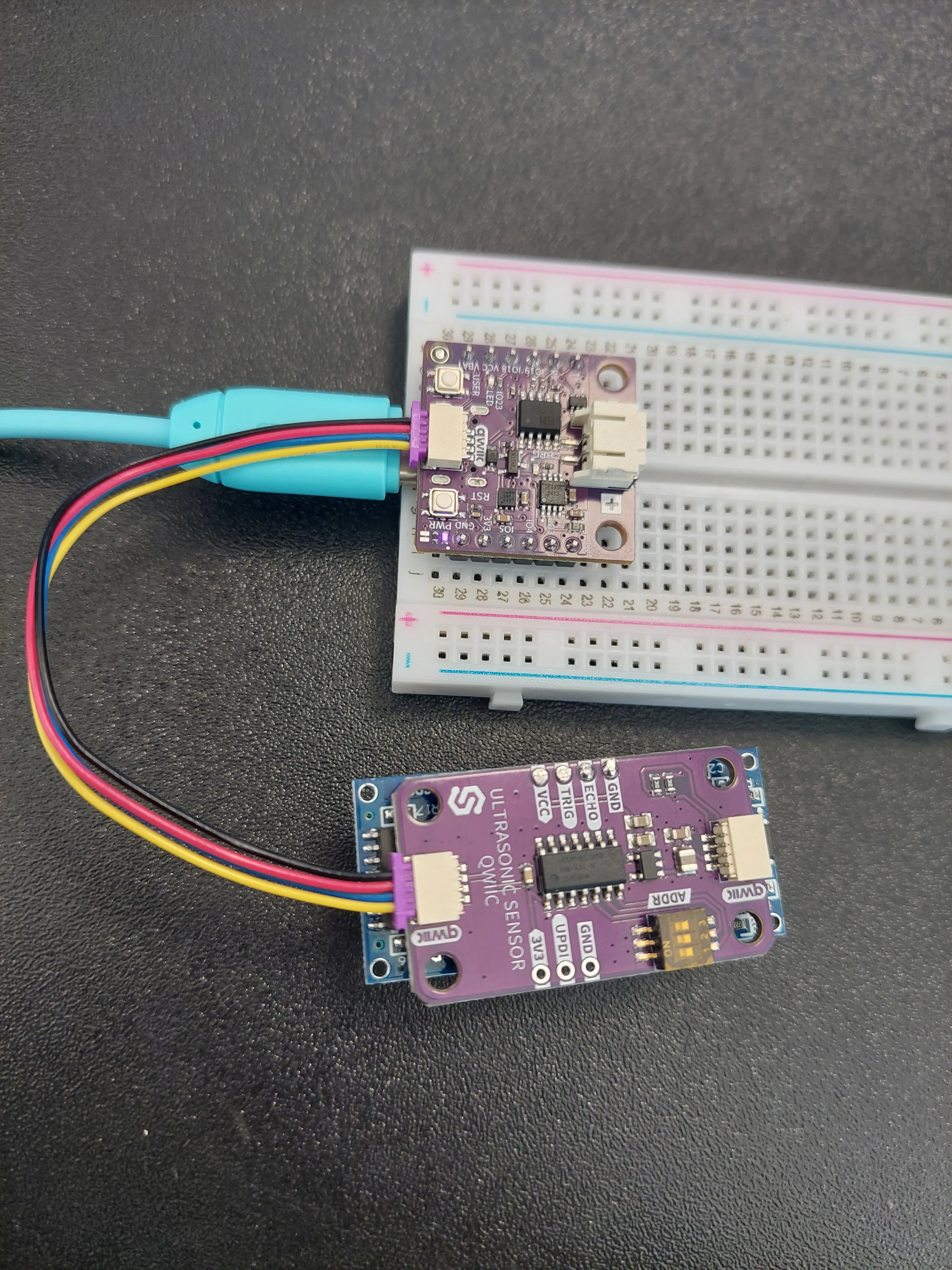
3. Distance sensor
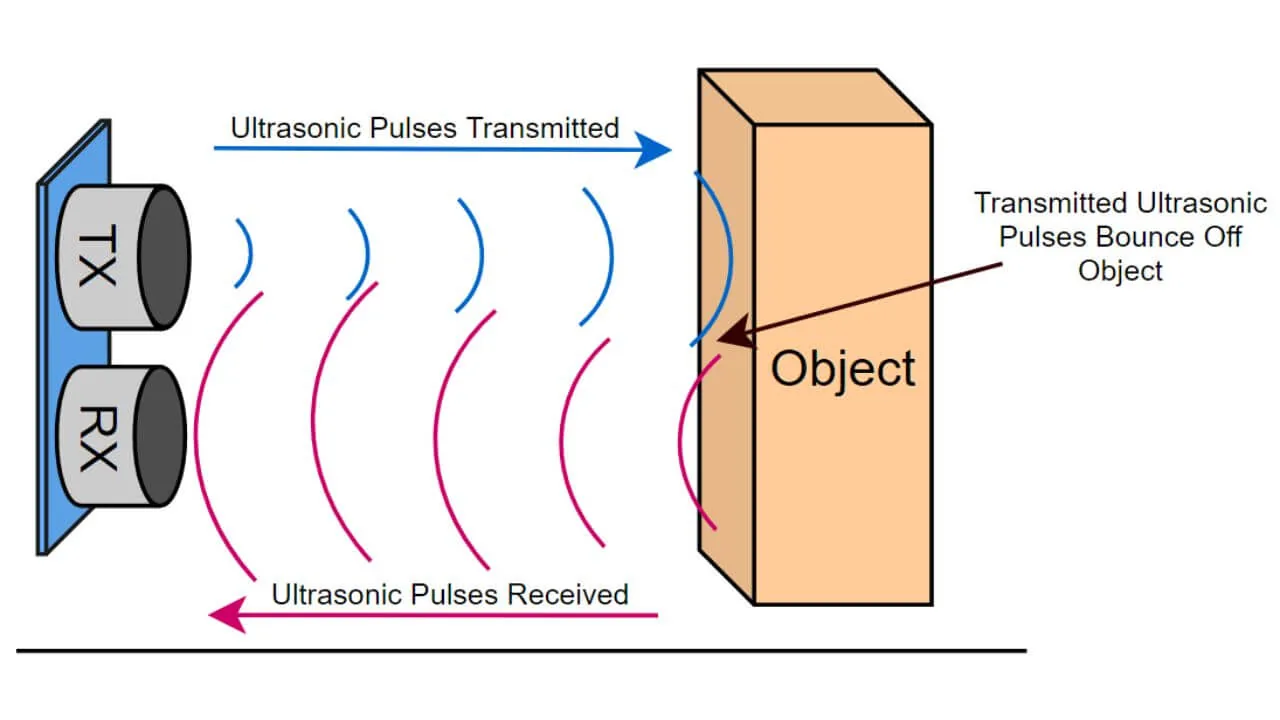
Distance sensors measure how far away an object is. Robotics, obstacle detection, parking assistants, tank level monitoring, interactive installations.
The HC-SR04 sends an ultrasonic pulse and times the echo. It covers roughly 2 cm to 400 cm and needs a 10 µs trigger pulse to start a reading. It is cheap, it works on 5 V, and its beam is a wide cone, so it sees the nearest thing in front of it rather than a precise point. For narrow beams and short range, a time-of-flight sensor is the better part. Our guide to distance sensor types compares them.
Good project ideas:
- garage parking assistant
- robot obstacle avoidance
- water tank level monitor
- object counter
- automatic dispenser
- bin level monitor

4. Motion sensor
A PIR sensor detects the heat signature of a person or animal moving across its field of view. Alarms, automatic lights, occupancy detection, classroom projects.
A motion sensor is the right choice when your project does not need to know where something is, only that something moved. Give it 30 to 60 seconds to settle after power-up, or your first reading will be a false trigger.
Good project ideas:
- motion alarm
- hallway light trigger
- room occupancy sensor
- mailbox or door activity detector
- security notification
- camera trigger


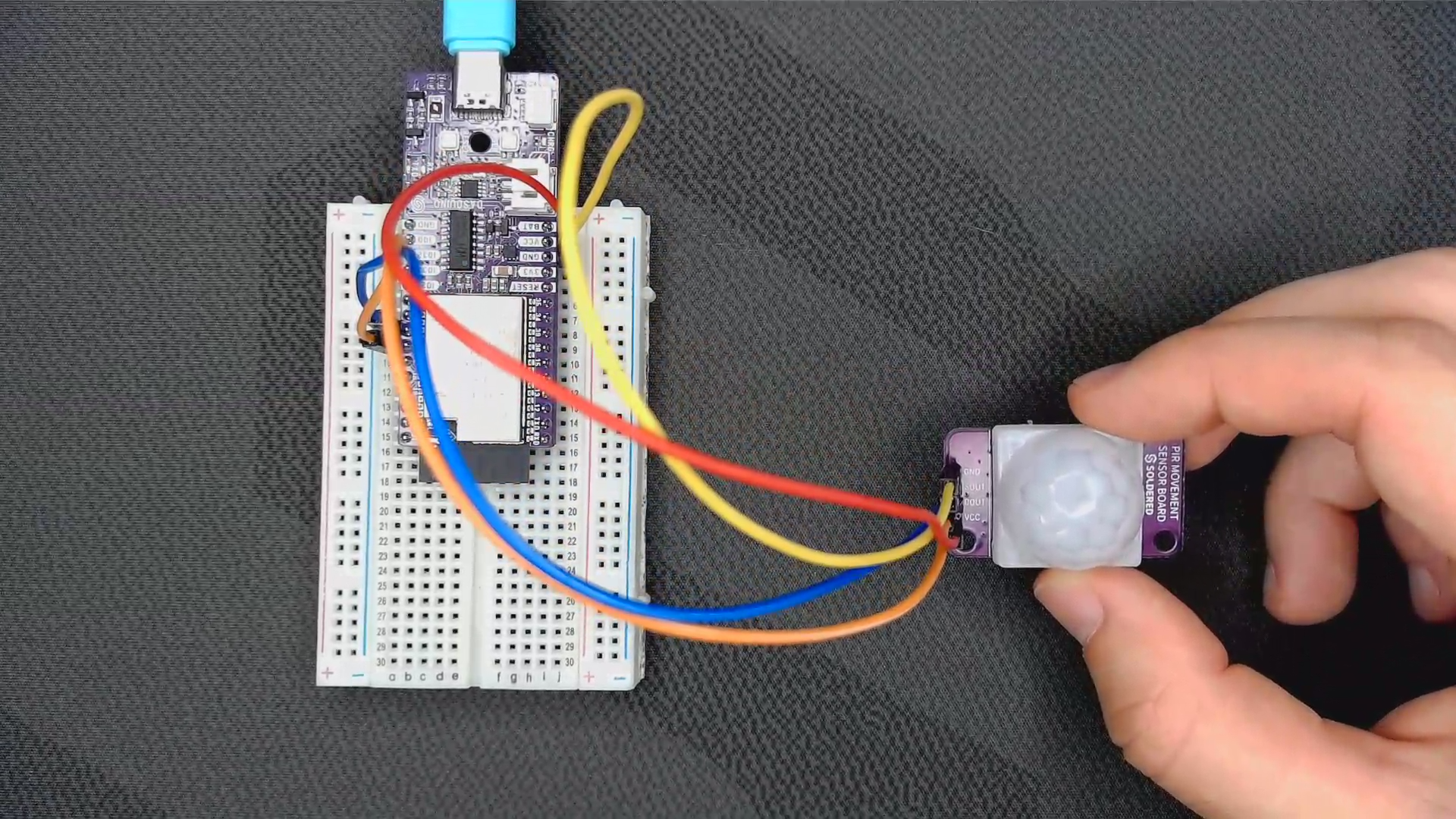
The Qwiic version reports over I2C instead of a raw digital pin, which saves you a pin and a cable on a board that is already busy.


For a connected version, pair it with an ESP32 board and publish the result to Home Assistant or MQTT. We have a full build of a Wi-Fi motion alert system if you want the code.
5. Current and voltage sensor
Current and voltage sensors tell you how much power something is using. Energy monitors, battery trackers, solar monitoring, power dashboards.
The INA219 measures bus voltage and the current through a shunt resistor, then reports both over I2C along with calculated power in milliwatts. High-side sensing means it sits between the supply and the load, so your load keeps a solid ground.
Good project ideas:
- battery voltage monitor
- solar panel monitor
- energy usage dashboard
- USB power monitor
- current draw logger
- device power tracker
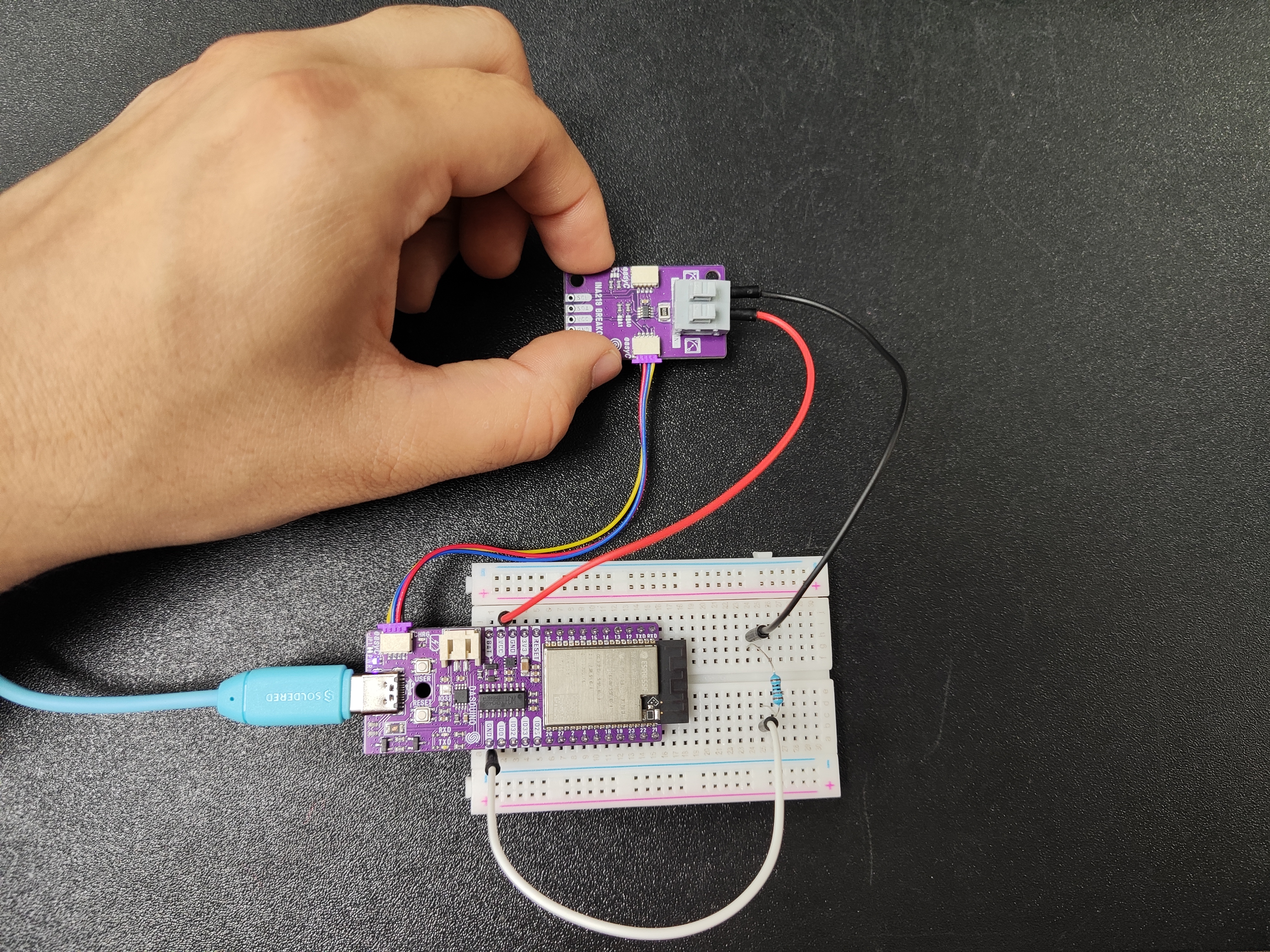


Power data is only useful if you can see it. A large e-paper panel shows the numbers all day without adding meaningful power draw of its own.
6. Light sensor
A light sensor measures brightness. Automatic lighting, day and night detection, plant projects, solar monitoring, display auto-dimming.
A simple photoresistor board is an analog read and nothing more, which makes it a good first sensor. It teaches the idea every later project depends on: your code can behave differently depending on the environment. The APDS-9960 goes further and reads light level, colour, proximity and hand gestures over I2C.
Good project ideas:
- automatic night light
- plant light monitor
- window brightness tracker
- solar exposure logger
- display auto-dimming
- classroom light level monitor


7. Soil moisture sensor
Soil moisture sensors tell you whether soil is dry, wet, or somewhere in between. Plant and garden projects, greenhouses, irrigation.
Use a capacitive probe rather than a bare resistive one. A resistive probe passes current through the soil and corrodes within weeks. A capacitive probe reads through an insulated surface, so it lasts.
Good project ideas:
- smart plant monitor
- watering reminder
- greenhouse dashboard
- classroom biology project
- irrigation trigger


8. Real-time clock module
An RTC is not a sensor, but it is one of the most useful modules to own. It keeps accurate time through resets and power cuts.
If your project logs anything over time, the clock matters as much as the sensor. Reading millis() drifts by minutes a day and starts from zero after every power cut, so a log built on it has no usable timestamps. The PCF85063A runs off a backup cell, keeps time while the board is unplugged, and talks I2C.
Good project ideas:
- digital clock
- sensor data logger
- scheduled watering system
- classroom timer
- e-paper calendar


9. GPS and GNSS module
A GNSS module tells your project where it is. Outdoor tracking, robotics, vehicles, weather balloons, hiking tools, portable sensor nodes.
The L86-M33 has the antenna built into the module and streams position, speed and time as NMEA sentences over UART, so reading it is parsing text rather than driving a bus. Give it a clear view of the sky and expect the first fix outdoors to take a minute or two from cold. If the module has to sit inside a case or a vehicle, add an external active antenna.
Good project ideas:
- GPS tracker
- outdoor data logger
- weather station with location
- hiking display
- vehicle tracker
- mobile sensor node


10. Touch sensor
Touch sensors detect a finger on or near a surface. Buttons, control panels, interactive projects, smart home interfaces.
Touch is worth using when you want input without a mechanical button, either because the button would wear out or because you want the surface to look like a surface. It works best in display projects, where the reader taps to select, reset, or switch views. Inkplate 6FLICK and Inkplate 4TEMPERA both put a touchscreen over the e-paper, so the display and the input are one part.
Good project ideas:
- touch lamp
- touch menu
- smart home control panel
- interactive art
- hidden touch switch


11. Sound sensor
Sound sensors pick up noise, claps, loud events, or a change in level. Alarms, noise monitors, music-reactive projects, voice triggers.
A MEMS microphone on I2S gives you a digital audio stream rather than a single loudness number, which is what you need for anything past a clap detector. Level metering needs a moving average and nothing else. Frequency bars need an FFT.
Good project ideas:
- clap switch
- classroom noise meter
- sound-triggered alarm
- music visualizer
- baby room alert
- sound-reactive LED project


12. Air quality sensor
Air quality sensors measure what is in the air rather than how warm it is. Homes, offices, classrooms, workshops, indoor climate dashboards.
Air quality is the natural step after temperature and humidity. Instead of knowing whether a room is warm, you find out whether the air in it is stale. Two different jobs here: the BME688 reads volatile organic compounds alongside temperature, humidity and pressure, which is good for a general air index. The SCD43 measures true CO₂ in ppm, which is the number that tells you a room needs ventilating.
Good project ideas:
- indoor air quality monitor
- classroom ventilation reminder
- workshop air monitor
- smart home ventilation trigger
- e-paper air quality dashboard
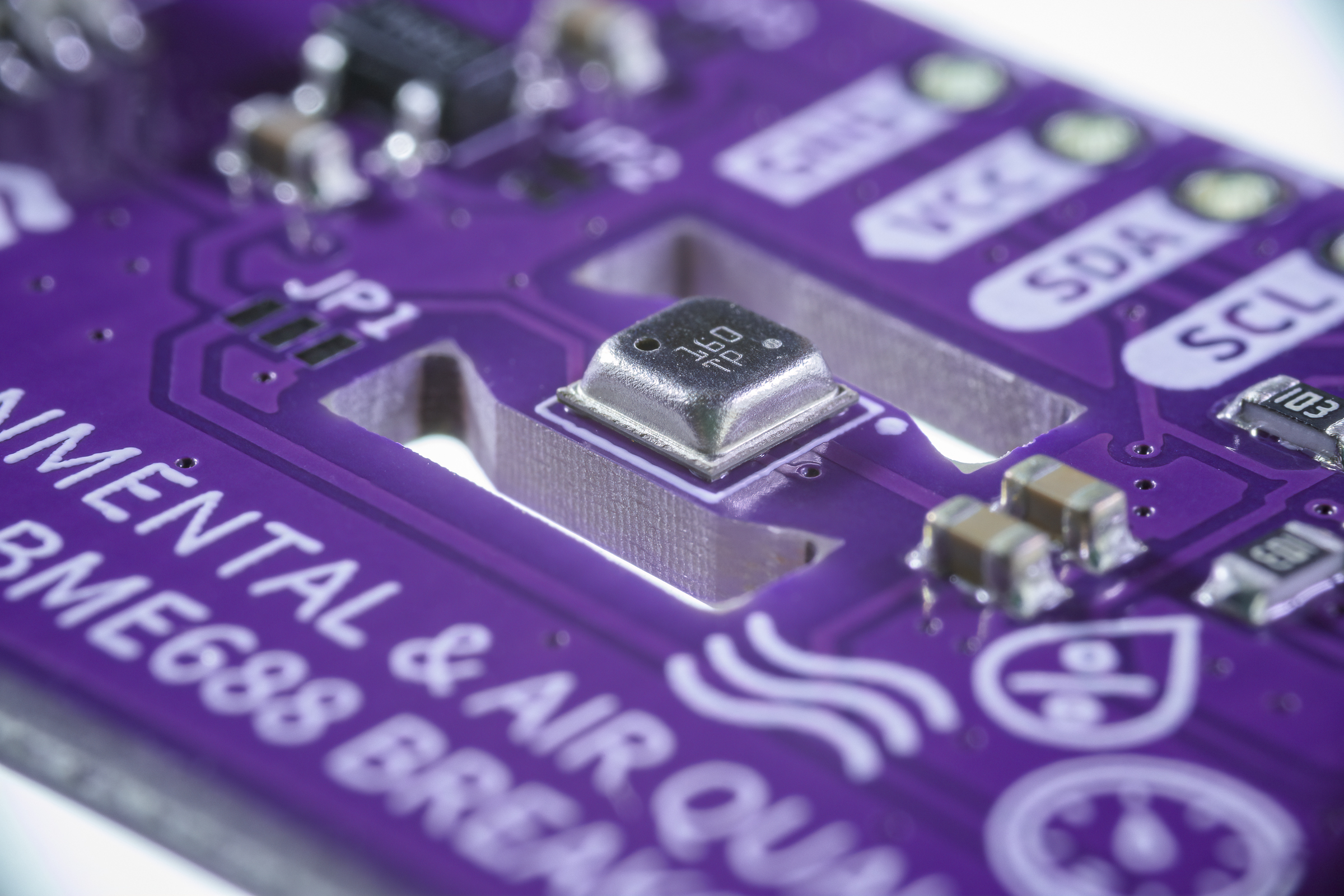


Both need a warm-up period and, for the gas sensor, some baseline calibration before the readings mean much. Budget a day of running before you trust the numbers.
Arduino vs ESP32 for sensor projects
| Feature | Arduino-compatible board | ESP32 |
|---|---|---|
| Best for | Learning electronics, simple sensor projects, classroom builds | IoT, wireless sensors, smart home, connected dashboards |
| Connectivity | Needs an extra module | Wi-Fi and Bluetooth built in |
| Logic voltage | Usually 5 V | 3.3 V |
| Programming | Arduino IDE | Arduino IDE, MicroPython, ESPHome |
| Beginner difficulty | Very beginner-friendly | Slightly more advanced, still approachable |
| Typical projects | Alarms, counters, basic robots, single-sensor builds | Weather stations, Home Assistant sensors, MQTT devices |
If you are learning how sensors work, an Arduino-compatible board is the simpler place to start. If the sensor needs to send its data somewhere, to Home Assistant, to an MQTT broker, or to a web dashboard, ESP32 is the better choice. Watch the logic voltage when you move a project between the two: a 5 V sensor output into a 3.3 V ESP32 pin needs a divider or a level shifter.
How to choose the right sensor for your project
Start with the question your project needs to answer. Is it hot or cold? Is anyone in the room? How far away is that? Is the plant dry? How much current is this thing pulling? Once the question is clear, the sensor picks itself.
| Project goal | Sensor type |
|---|---|
| Measure room or outdoor temperature | Temperature sensor |
| Build a weather station | Temperature and humidity sensor |
| Detect movement | PIR motion sensor |
| Measure distance | Ultrasonic or time-of-flight sensor |
| Track energy usage | Current and voltage sensor |
| Monitor plants | Soil moisture sensor |
| Build a clock or logger | RTC module |
| Track location | GPS or GNSS module |
| Create touch controls | Touch sensor or touchscreen |
| React to sound | Microphone or sound sensor |
| Monitor indoor comfort | Air quality or CO₂ sensor |
Arduino, ESP32, or Raspberry Pi for sensor projects?
Use an Arduino-compatible board when:
- you are learning electronics
- the project runs on its own, with no network
- you want simple wiring and simple code
- you are building for a classroom


Use an ESP32 when:
- you need Wi-Fi or Bluetooth
- you want MQTT or Home Assistant
- you are building smart home sensors
- the project runs on a battery and sleeps between readings


Use a Raspberry Pi when:
- you need Linux
- you are collecting from many sensors at once
- you want a database, a dashboard, or a local server
- you want computer vision or on-device AI


Arduino vs Raspberry Pi vs ESP32 goes through the trade-offs in more detail, and Raspberry Pi project ideas covers what the Pi is good at.
Best beginner sensor projects
- Digital thermometer
- Weather station
- Smart plant monitor
- Garage parking assistant
- Motion alarm
- Smart home room sensor
- Energy monitor
- GPS tracker
- Classroom noise monitor
- E-paper sensor dashboard
Work down the list in order and each project adds one idea to the last. Our ESP32 projects for beginners roundup has wiring and code for several of them, and STEM projects for kids covers the classroom versions.
The dashboard is the one that ties everything together. Temperature, humidity, air quality, motion, current draw and plant status on a single screen. E-paper suits it because the numbers stay readable with no backlight and no glare, and the panel only draws power when the image changes. Start with what an e-paper display is, and e-paper displays for Home Assistant dashboards if that is your setup.


Why Soldered is a good place to start building sensor projects
Sensor projects are how you get from wiring up components to solving an actual problem. Once your board can read temperature, catch movement, measure distance, track current or know the time, it stops being a demo and becomes a weather station, a plant monitor, an energy tracker, an alarm, or an always-on dashboard.
Soldered sells the boards, sensors, displays and kits for all of that, built to work together. Every breakout has a Qwiic connector and a maintained Arduino library, so an I2C sensor is one cable and an example sketch rather than an afternoon of datasheet reading. Start with a temperature or distance sensor, add an ESP32 board when the data needs to go somewhere, put it on an Inkplate when someone needs to read it, and move to a Raspberry Pi when the project outgrows a microcontroller.
Frequently asked questions
What are the best sensors for Arduino and ESP32?
The most useful ones are temperature sensors, humidity sensors, distance sensors, motion sensors, current and voltage sensors, soil moisture sensors, light sensors, GPS modules, RTC modules, touch sensors, microphones and air quality sensors. Which is best depends on what you need to measure.
Can Arduino and ESP32 use the same sensors?
Usually yes. Check three things first: logic voltage, since ESP32 pins are 3.3 V and many Arduino boards run at 5 V; the communication protocol; and whether the library supports your board.
Which sensor is best for beginners?
Temperature, distance, motion and light sensors. They are easy to wire, easy to understand, and they give you a visible result on the first run.
Which sensors are best for ESP32 projects?
Anything whose readings you want to send somewhere. Temperature, humidity, motion, distance, current, soil moisture, air quality and light all work well, and the ESP32 pushes them over Wi-Fi to MQTT, Home Assistant or a web dashboard.
Which sensors are best for Arduino projects?
Temperature sensors, ultrasonic distance sensors, PIR motion sensors, light sensors, soil moisture probes, buttons and switches. They teach inputs, outputs and timing without needing a network.
What sensor should I use for a weather station?
Temperature and humidity for a first build. Add pressure, light, rain or wind as the project grows. A combined sensor like the SHTC3 or BME688 covers several readings from one I2C address.
What sensor should I use for a smart home project?
Temperature, humidity, motion, door and window contacts, air quality, current and light. Use an ESP32 board so the readings reach Home Assistant or an MQTT broker.
What sensor should I use for distance measurement?
An ultrasonic sensor like the HC-SR04 for parking assistants, obstacle detection, tank levels and simple robotics. A time-of-flight sensor for precise short-range work or a narrow beam.
Do sensors need calibration?
Some do. Temperature and distance sensors are accurate out of the box. Air quality, soil moisture and current sensors usually need a baseline reading in your setup before the numbers mean anything.
Can I display sensor data on an e-paper display?
Yes, and it is a good fit. E-paper stays readable in daylight, needs no backlight, and only uses power when the image changes, which suits a dashboard that updates a few times an hour. Weather stations, energy monitors, plant dashboards and room status boards all work well on it.
How many sensors can I connect to one board?
On I2C, as many as you have free addresses, which is dozens in practice. The limit you hit first is usually two sensors with the same fixed address, which needs a multiplexer or a part with a configurable address.


